How it works
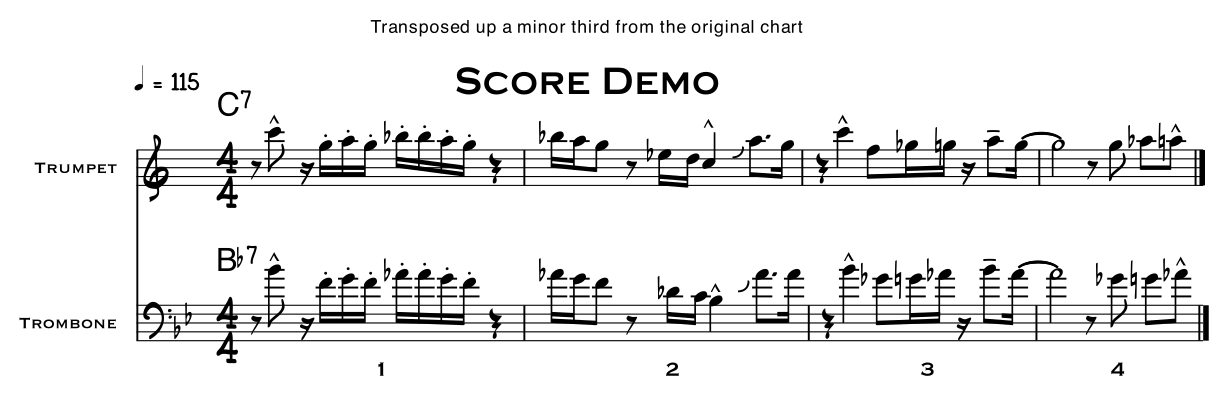
NewKey moves the music on your own page. The chart that comes back is the one you uploaded, in a new key.
Original
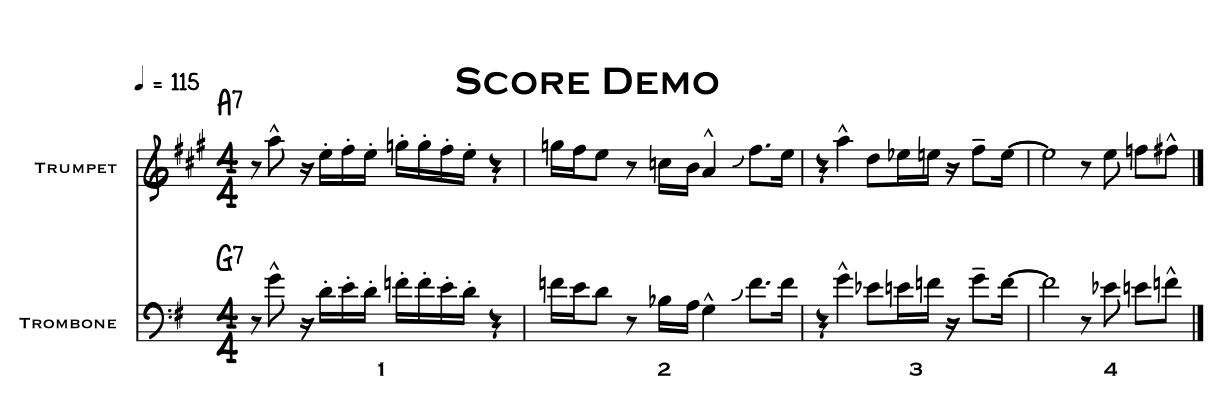
- 1
Upload your chart
A PDF, or a photo or scan. NewKey reads it for free and shows you what it found and what it will cost, before you spend anything.
- 2
Choose the move
Pick an interval up or down, or the instrument the part is written for and the one you play. NewKey works out the rest.
- 3
Your page is edited, not redrawn
The notes, accidentals, key signatures and chord symbols move on your own page. The fonts, spacing and page turns stay just as they were.
- 4
Every result is checked
A PDF is read back and compared with the original. A scan has to have every page and chord moved. If a result falls short, you aren't charged.
- 5
Take it to the gig
Download it, or share it straight to your tablet. Each page is stamped with what was done, so it's never mistaken for the original.
Why it still looks like your chart
Most tools that transpose sheet music rebuild it. They work out what every symbol is, recreate the score in their own software and give you a new file, with different fonts, spacing and page turns. That is useful if you want a score you can edit.
NewKey changes only what moves. It edits the notes on your own page, so everything else stays as you know it. Even a photo or a scan comes back as your page, not a copy redrawn from scratch.
Try it on a chart you know
The best test is a chart you have played. You will spot a mistake straight away, and we would rather you found one now than on a stand.